Back

HTML/CSS JavaScript PHP Laravel Tailwind CSS GSAP Animation Laravel Forge Deployment Docker

Project: My Portfolio

Overview:

In this brief discussion of my portfolio site you are currently visiting, I will be discussing my previous portfolio website and how I learnt from the issues it had and how I used these lessons in developing my updated site. Issues include overcomplication of features, code inefficiencies, refactoring for UX, etc.

Description:

My previous website was overly complex, and I focused on making it fully dynamic with a fully functional content management system (CMS). This led to the development time of my previous website being longer than it reasonably needed to be.

When reviewing other portfolios online from other software developers, I began to become quite critical of my own, especially with regard to the coding standards, as all of my stylings were done within a CSS document, which led to a lot of repetition, which made maintenance difficult at times, and it was hard to know what CSS was still being used.

There was also the matter of the design itself. I had multiple pages which didn’t flow very well, and from seeing others use my site, it became increasingly obvious that for the average user, it was difficult to navigate. Again, when comparing my previous website to other portfolios, my website was quite corporate and wasn’t as personal as I would have preferred.

This led me to begin designing a new website from scratch to resolve these issues.

Challenges:

I faced a few challenges while developing my portfolio site, which included the design of it. For seasoned web designers, you may look at my site and wonder what was so difficult, but I am definitely more a junior designer than anything. So the design process I found to be a bit difficult.

Despite me designing my previous portfolio site, which I did find to be easy, the difficulty came in when researching UI and UX standards. I needed to ensure the site would work well for all device sizes, ideally as seamlessly as possible. It was crucial to me that I make my website as personal as possible while still maintaining a professional outlook too.

Another issue I faced was with my CMS itself. In my previous website's CMS, I had a major case of scope creep where I wanted to make it feel like a sophisticated piece of software which adhered to all the standards possible and for it to be fully dynamic everywhere.

For my website's purpose, this just wasn't needed, and as I said prior, it bloated my development time massively, and the file structure for my website became quite complex and hard to maintain.

There was also the fact that I wanted to trial out some new technologies I had been learning, such as Tailwind, which became a challenge in itself.

Finally, my previous website also had a photography section, just like the website you are on now. However, it required me to manually add each photo one at a time, including the image alt text. Which, as you can imagine, I had hundreds of photos, which took me forever to add! So I needed to have a solution to avoid this going forward.

Solution:

The solution I came to in order to ensure consistent and optimised styling was to use Tailwind CSS. Just before, I did say I hadn't used it much before, which was true. But I saw my portfolio as the perfect opportunity to learn how to use it, and I can say I feel comfortable using Tailwind in commercial projects, and it has been cemented into my tech stack.

It also helped with ensuring a consistent design and optimal responsiveness for all devices that can access my website. Tailwind made developing my new website a joy, and I found it to be quite fun learning this new tool.

With regard to my scope creep issue in my previous website CMS, I decided to take a scaled-down approach for my new website in general. It doesn't need to all be dynamic and modifiable through my CMS. Of course the text you are reading right now was written and submitted through my CMS, but for certain aspects of my website it is hardcoded.

Many people hear the word 'hardcoded' and immediately see a red flag, but I would disagree. Making all aspects of your website dynamic is certainly challenging and makes it very easy to modify your site without accessing your code, but it also increases your latency, even by a little bit. I wanted to focus on optimisation for my site, so any loading speed is much appreciated.

With regard to my photography section, I developed a custom controller which crawled through a specific file stored within my file manager (using Laravel Filemanager). It deconstructs properties of the image and uses the name of the file as its image alt tag. Due to names of files needing to be unique in general to be in the same folder, the controller is able to crawl through the file and ensure duplicates are not uploaded. This makes uploading new photography so much easier.

Finally, I wanted to make a quick mention of 2FA. For my login functionality, I decided to challenge myself and implement a 2FA function, allowing me to scan a QR code and set it up. Now, to log in to my CMS, a user will require a 2FA code, which increases the security of my application considerably.
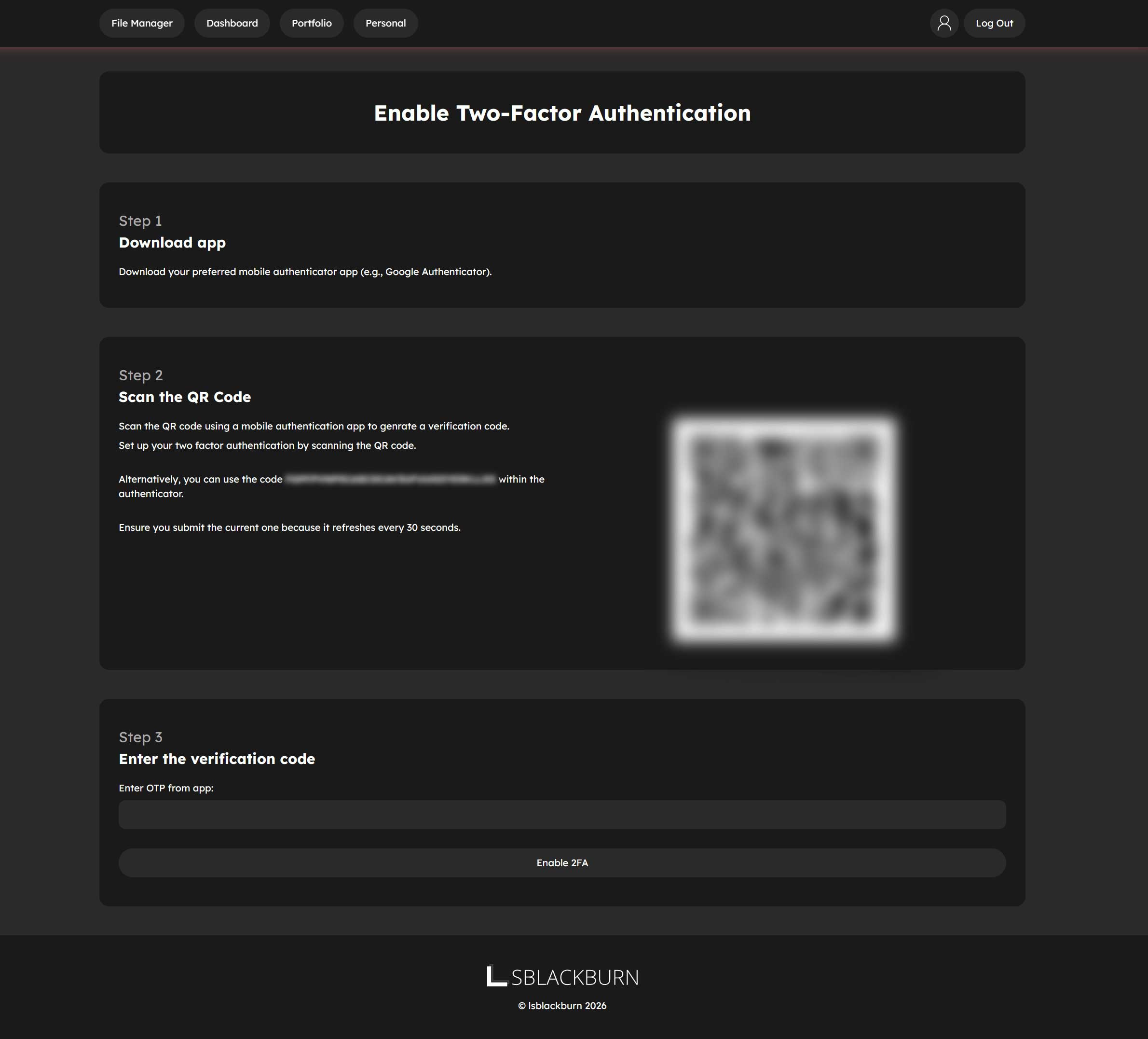
Screenshot of my 2FA page, with blurred sensitive data

Lessons Learned:

Many lessons were learnt during the development of my new portfolio site, which includes:

More features do not equal a better outcome/product.

Over-engineering a website and making every part dynamic does not necessarily improve a website. For me, where I built an overly sophisticated CMS, it significantly increased development time and complexity, and I received little value in return.

Along the same lines, creating a scope and adhering to it is essential in mitigating the risk of scope creep. In my previous website development, I continuously kept finding new features to add, and I just kept going, and it resulted in a hard-to-maintain website. There is nothing wrong with scaling down.

Ensuring my code was maintainable was much better than having just functional code. There are many times when I need to revisit code, refactor it to add to it or fix a bug, and it could be so complex it is hard to understand even with comments. Utilising Tailwind was of massive benefit to me by ensuring consistency in my development and in terms of UI/UX.

A final comment I will add is that hardcoding is not inherently bad and has its use cases. While dynamic content offers flexibility and can be modified anywhere an internet connection is available, it can introduce unnecessary complexity and issues with performance. By reviewing what aspects of my website need to be CMS-driven, I was able to improve the performance and reduce latency for my website and simplify the overall build for future maintenance.


Click here to scroll to top of the page